













Summary reader · comic edition

Core AI in iOS 27: Apple's On-Device AI Runtime

Read the original textRead panel by panel

Each section is summarized in our own words beside the comic page that teaches it — jump with the page numbers, or read panel by panel.

the paper at a glanceCore AI is a whole inference platform, not a new API · 21 sections
01 · In summary
/p/1

Core AI is a whole inference platform, not a new API

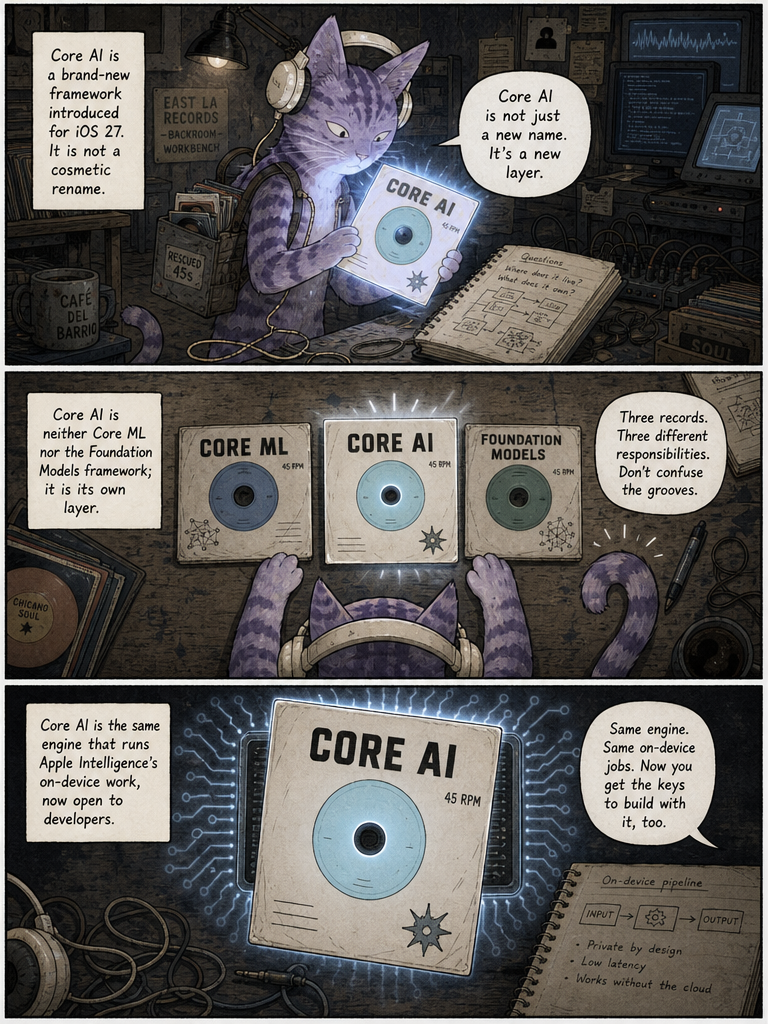
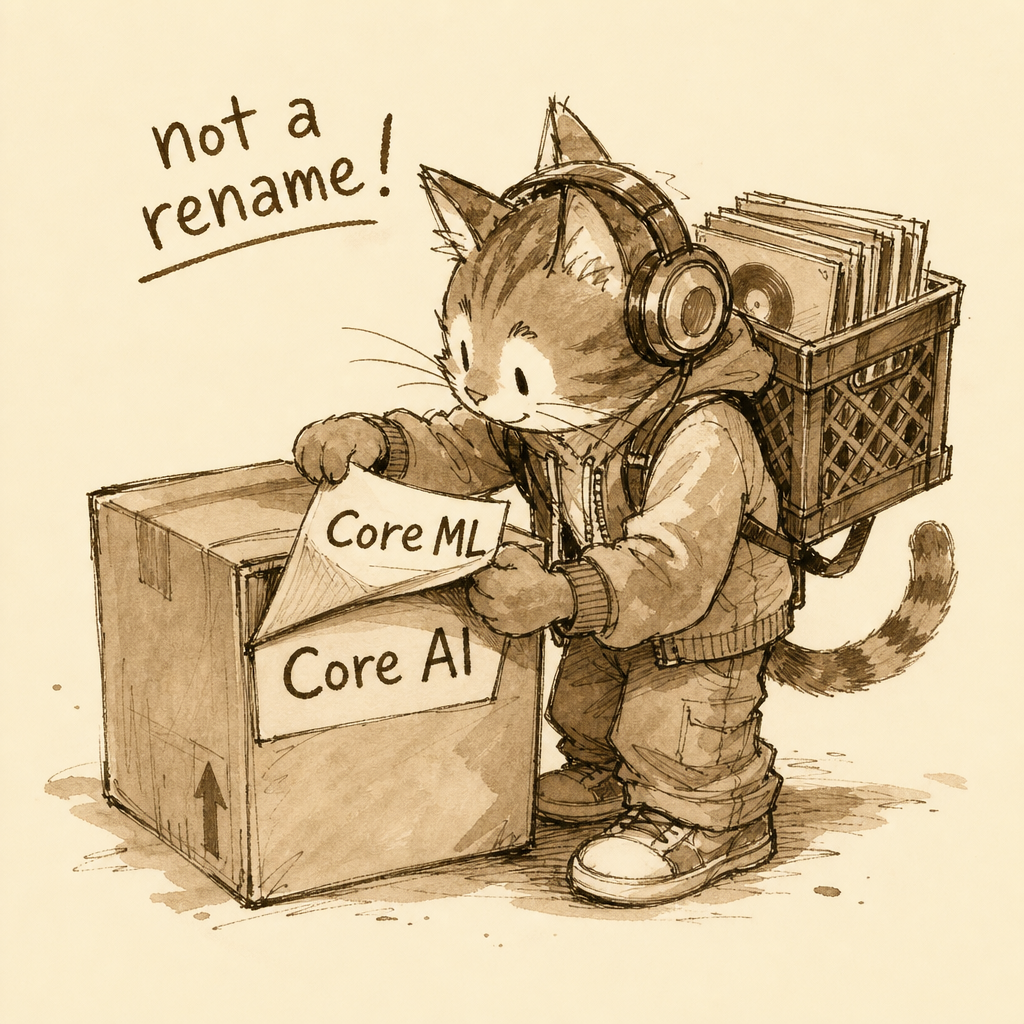
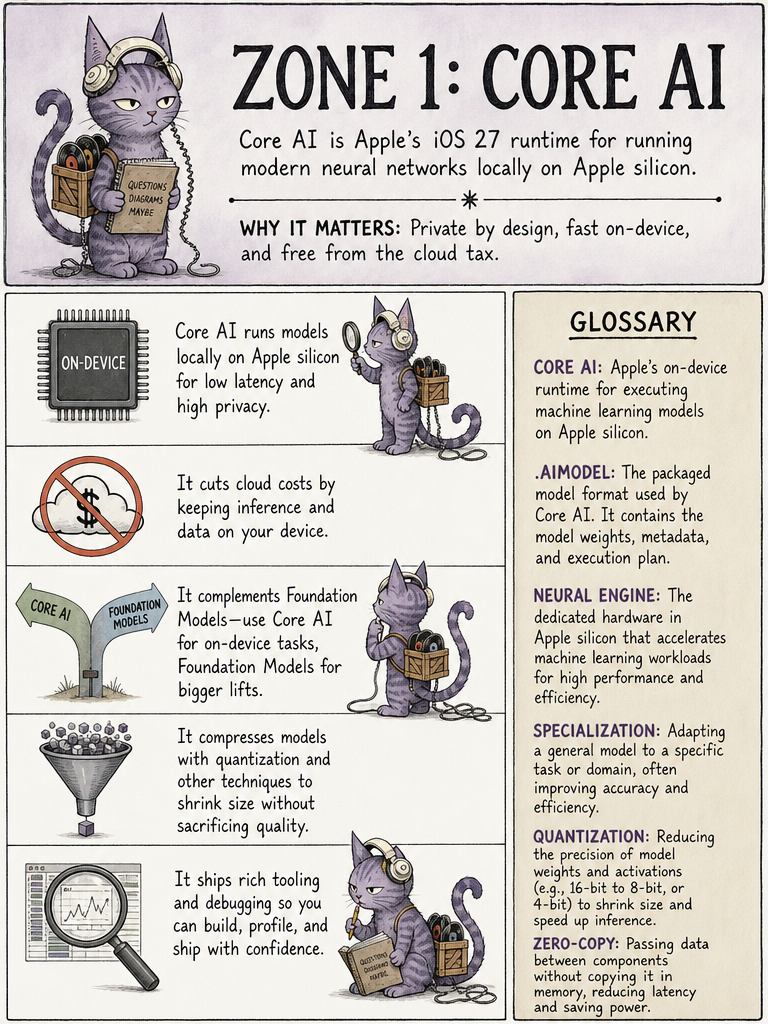
Core AI arrives in iOS 27 as a substantial addition to Apple's ML stack. It is neither a rebranded Core ML nor the same thing as Foundation Models. Instead it is a dedicated deployment and inference system built for modern neural networks and generative AI running locally on Apple silicon — the same execution architecture that powers the on-device part of Apple Intelligence, now opened to developers' own models.

in short — Core AI: new local inference platform; not Core ML: not just a rename.
the comic take · 01the full page
This page introduces Core AI as a major new on-device inference platform distinct from existing Apple frameworks.

This page introduces Core AI as a major new on-device inference platform distinct from existing Apple frameworks.

↑ back to the passage
02 · In summary
/p/2

A distinct framework, not a rebadged Core ML

Core AI is neither a renamed Core ML nor a synonym for Foundation Models. Apple describes it as the framework driving the on-device side of Apple Intelligence, and developers can now build on that same execution architecture. The key claim is that Core AI stands on its own as a new deployment and inference system, sharing Apple's own production infrastructure rather than repackaging an older tool.

in short — Core AI: powers Apple Intelligence on-device; developers: get the same engine.

the comic take · 02the full page
This page distinguishes Core AI as a genuinely new framework, separate from Core ML and Foundation Models.

This page distinguishes Core AI as a genuinely new framework, separate from Core ML and Foundation Models.

↑ back to the passage
03 · In summary
/p/3

Core ML for trees, Core AI for neural nets

Core ML is not going away. Apple advises keeping it for non-neural workloads like decision trees and tabular models. Core AI, by contrast, is built for contemporary neural architectures — LLMs, VLMs, diffusion, segmentation, audio and other large tensor-heavy networks. The two coexist, each suited to a different class of model.

in short — Core ML: trees, tabular, classic ML; Core AI: LLMs, VLMs, diffusion, audio.

the comic take · 03the full page
This page splits the tools: Core ML for traditional ML, Core AI for modern neural networks.

This page splits the tools: Core ML for traditional ML, Core AI for modern neural networks.

↑ back to the passage
04 · 1. What Core AI actually provides · in summary
/p/4

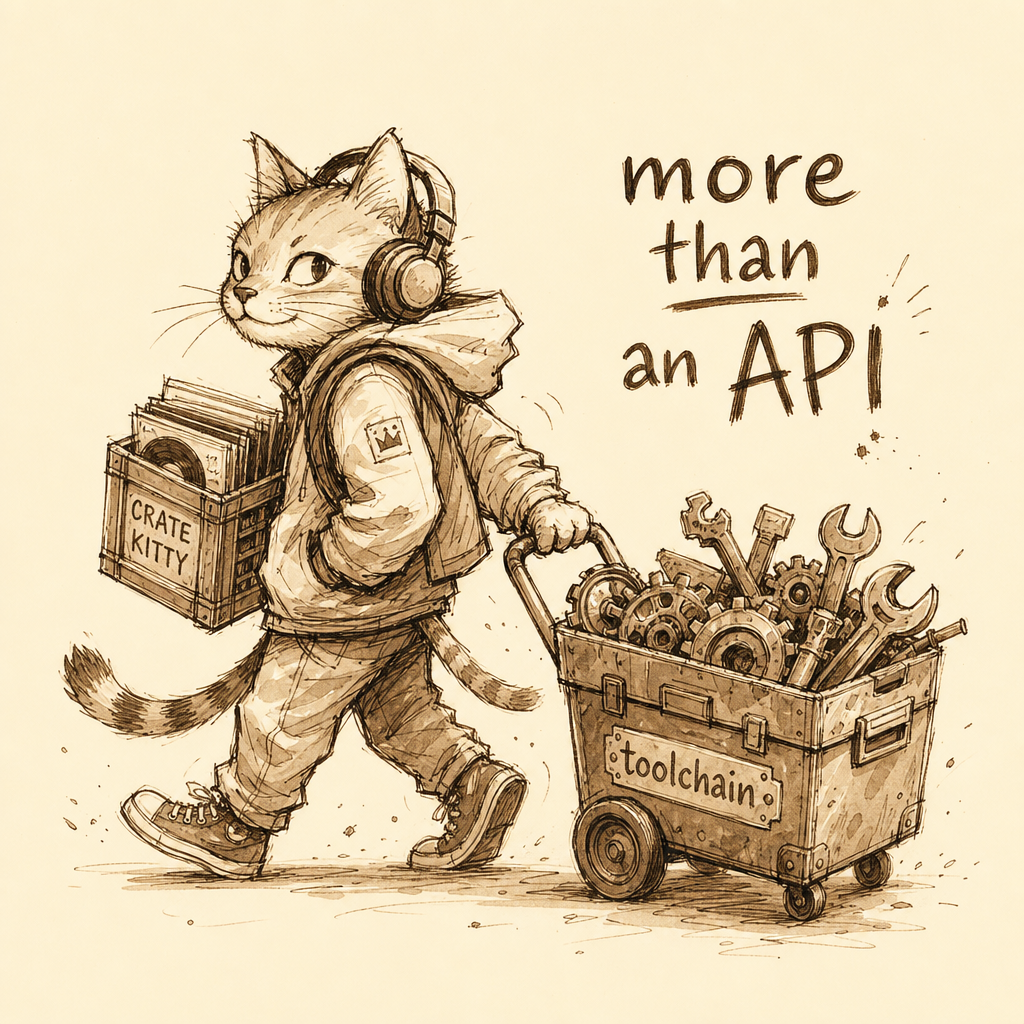
A production platform, not merely a Swift API

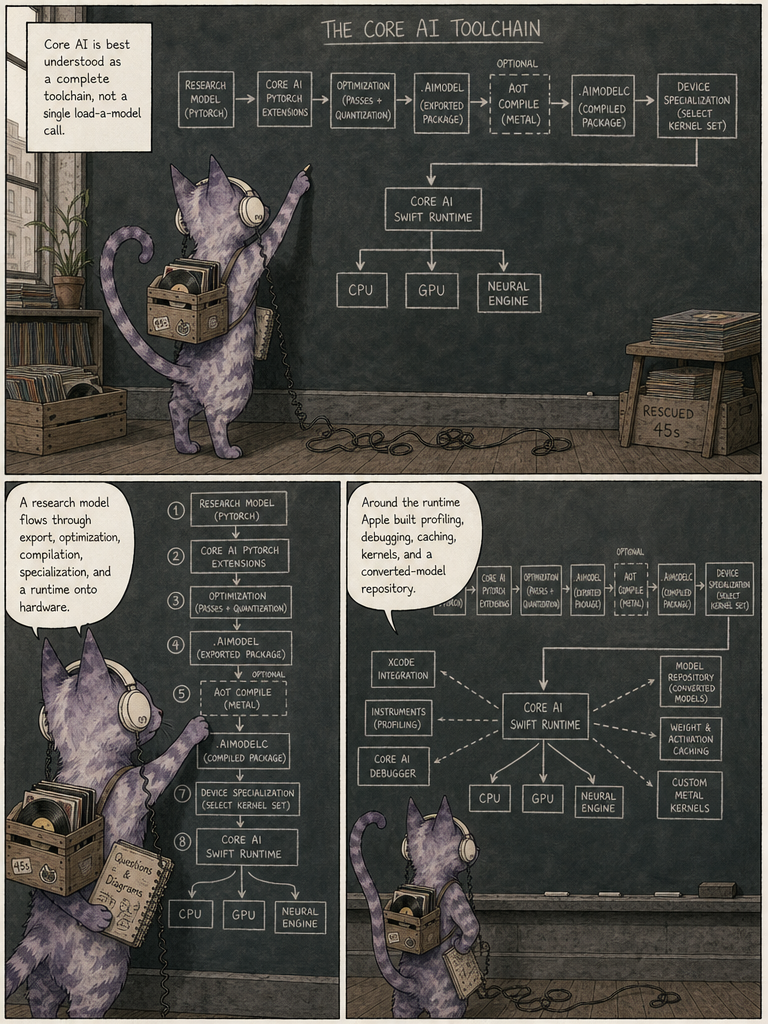
Core AI is best understood as an entire model-deployment toolchain rather than a single API call. Around its Swift runtime, Apple has built Xcode integration, Instruments profiling, a dedicated debugger, model caching, device specialization, custom Metal kernel support, and a repository of converted models. This is far richer than the old "MLModel loads a neural network" idea — it is a complete production inference platform.

in short — just an API?: no — a whole toolchain; the stack: convert, optimize, compile, run, profile.

the comic take · 04the full page
This page reframes Core AI as a full deployment toolchain and production inference platform.

This page reframes Core AI as a full deployment toolchain and production inference platform.

↑ back to the passage
05 · 2. Core AI is completely on-device · in summary
/p/5

On-device inference kills the per-token cloud bill

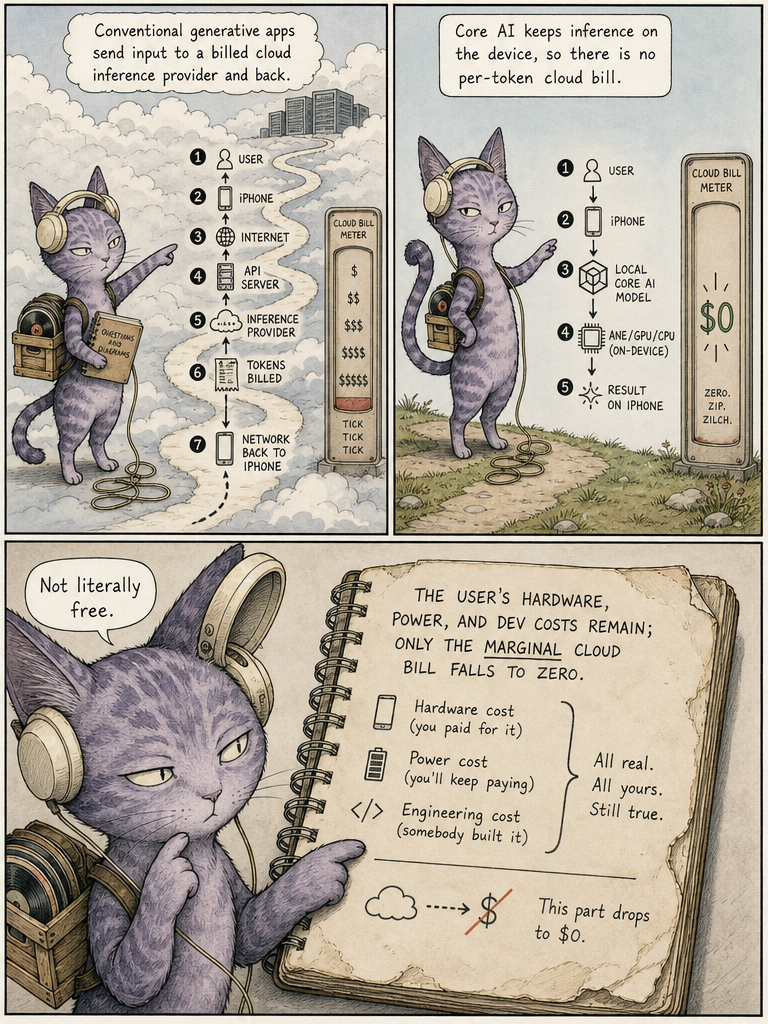
Core AI runs models entirely on Apple silicon using the CPU, GPU and Neural Engine, so user input need not leave the device. Apple advertises zero server dependencies and zero token costs, plus privacy and responsiveness. It isn't literally free — the user paid for hardware and the app burns power, storage and memory — but the marginal cloud inference bill can drop to zero.

in short — cloud path: tokens billed per request; Core AI path: local, $0 marginal cost.

the comic take · 05the full page
This page explains that on-device execution eliminates cloud dependencies and per-token inference costs.

This page explains that on-device execution eliminates cloud dependencies and per-token inference costs.

↑ back to the passage
06 · 3. Core AI isn't the Foundation Models framework · in summary
/p/6

Foundation Models is managed; Core AI is yours to drive

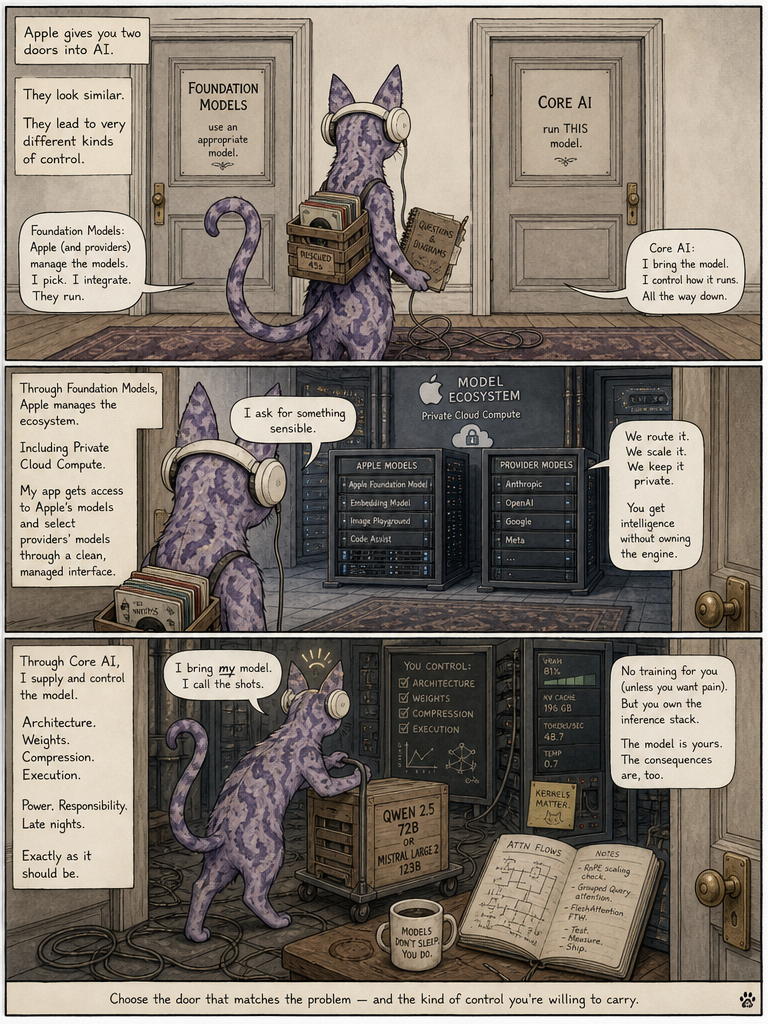
Apple now offers multiple AI API layers. Foundation Models is a high-level, capability-based interface to models Apple or providers manage, including the on-device model and Private Cloud Compute. Core AI is much lower level: you supply and control the model, its weights, compression, execution, memory, specialization, caching and even custom kernels. Apple frames the two as complementary rather than competing choices.

in short — Foundation Models: Apple manages the model; Core AI: you control the model.

the comic take · 06the full page
This page contrasts managed Foundation Models with developer-controlled Core AI as complementary layers.

This page contrasts managed Foundation Models with developer-controlled Core AI as complementary layers.

↑ back to the passage
07 · 4. Apple is explicitly supporting open models · in summary
/p/7

Apple ships recipes to productionize open models

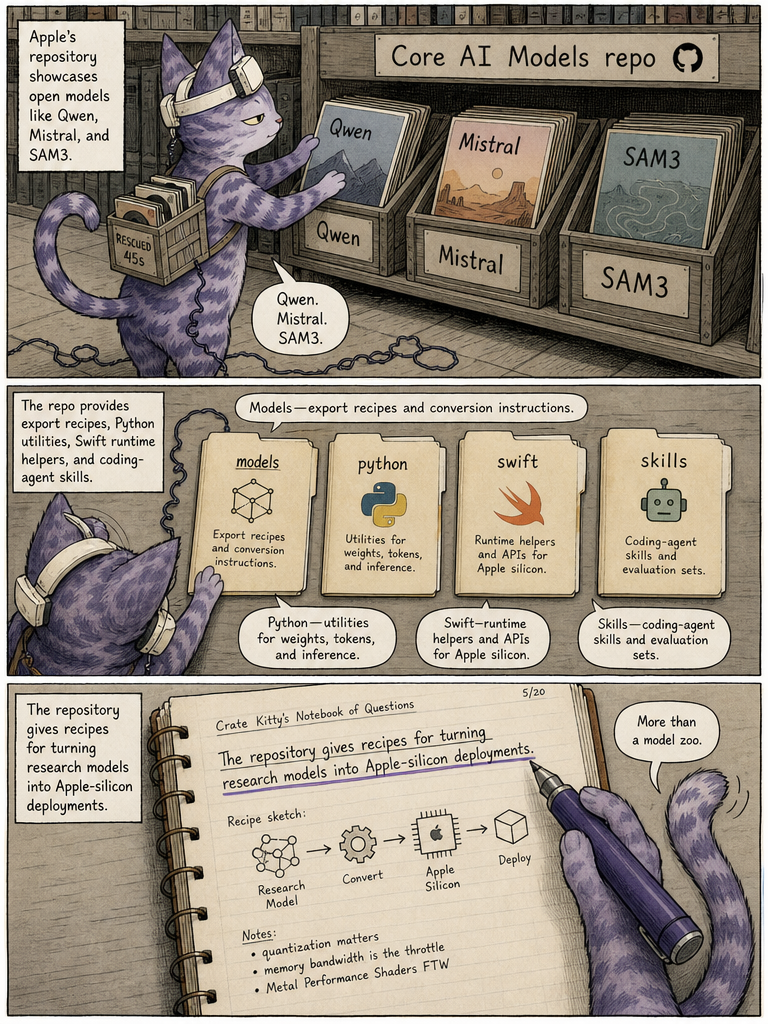
Apple has published a Core AI Models repository containing four parts: export recipes for supported models, reusable Python authoring utilities, Swift runtime utilities, and AI coding-agent skills. Its WWDC demo covers models like Qwen, Mistral and SAM3. The point is that this is more than a model zoo — Apple provides the recipes for turning research and open-source models into production Apple-silicon deployments.

in short — models/: export recipes; python & swift/: authoring and runtime utils; skills/: agent skills.

the comic take · 07the full page
This page shows Apple's Core AI Models repository provides recipes and utilities, not just a model zoo.

This page shows Apple's Core AI Models repository provides recipes and utilities, not just a model zoo.

↑ back to the passage
08 · 5. The new .aimodel format · in summary
/p/8

One portable file, many hardware targets

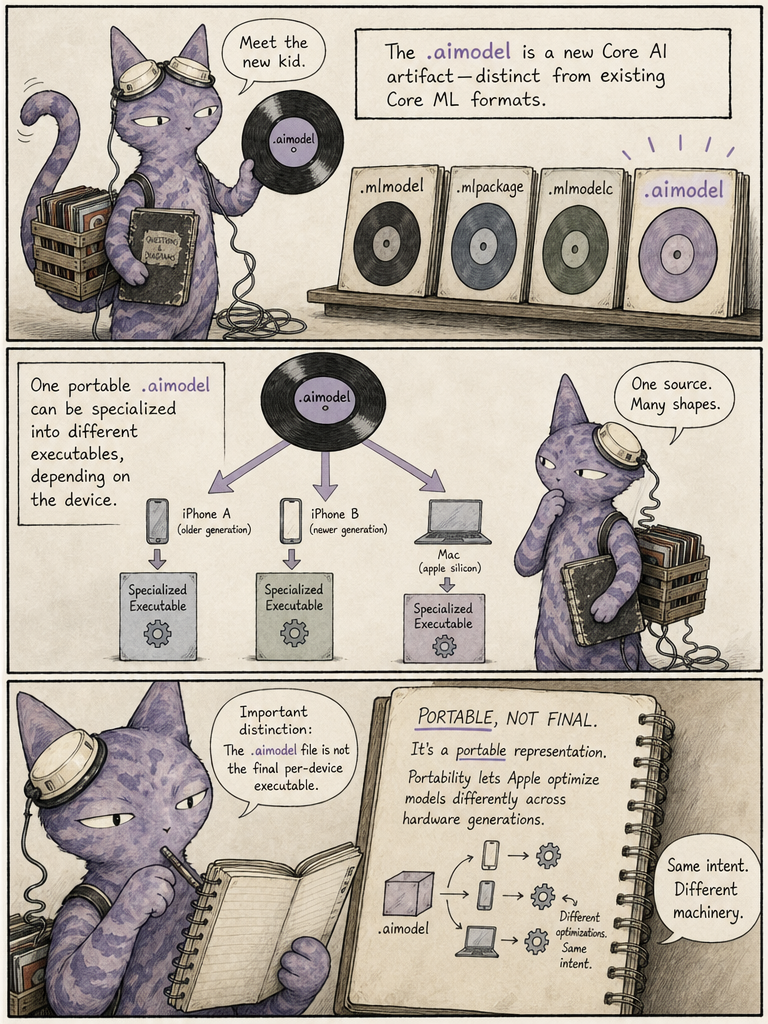
Core AI introduces a new artifact, the .aimodel, distinct from Core ML's .mlmodel and friends. The key word is portable: the file isn't the final executable for any single iPhone. Instead Core AI takes it and specializes it for whatever hardware will run it, so one source representation can target different Apple silicon configurations across device generations.

in short — .aimodel: one portable file; specialization: per-device executable.

the comic take · 08the full page
This page introduces the portable .aimodel format that Core AI specializes per hardware target.

This page introduces the portable .aimodel format that Core AI specializes per hardware target.

↑ back to the passage
09 · 6. Hardware specialization is fundamental · in summary
/p/9

Describe the model, let Core AI pick the hardware mix

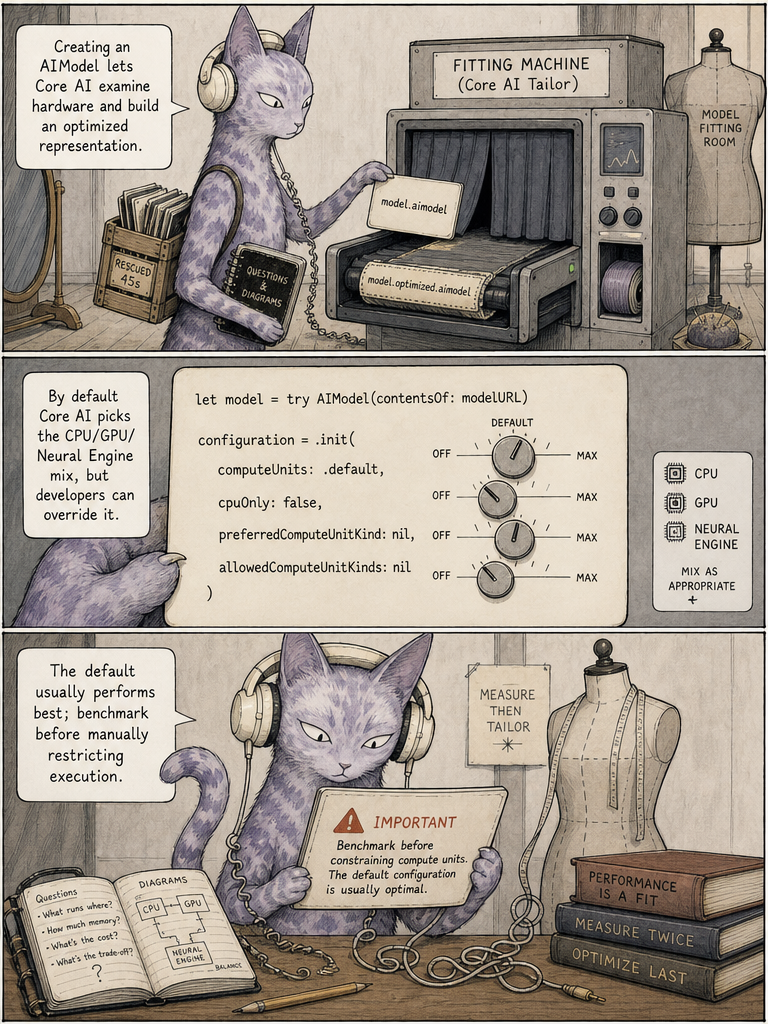
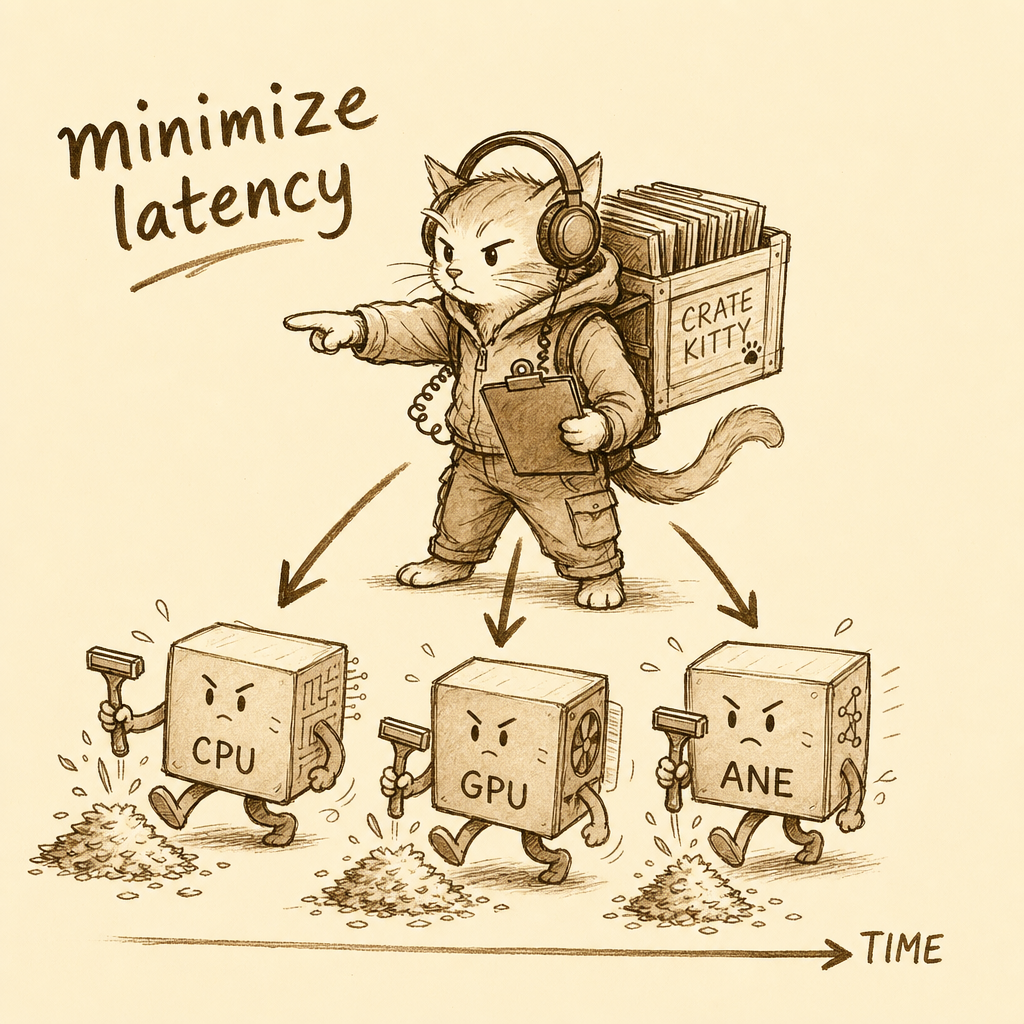
When an app creates an AIModel, Core AI inspects the device and builds an optimized representation, by default choosing the CPU/GPU/Neural Engine combination that minimizes latency. Developers can override with options like .cpuOnly or preferred compute units, but Apple recommends benchmarking first since the default usually wins. The philosophy: describe the model instead of hardcoding which layer runs where.

in short — old way: hardcode layer X on GPU; Core AI way: describe, it specializes.

the comic take · 09the full page
This page explains automatic device specialization choosing the latency-minimizing compute-unit mix.

This page explains automatic device specialization choosing the latency-minimizing compute-unit mix.

↑ back to the passage
10 · 7. Specialization is cached · in summary
/p/10

Cache the specialized model, skip the recompile

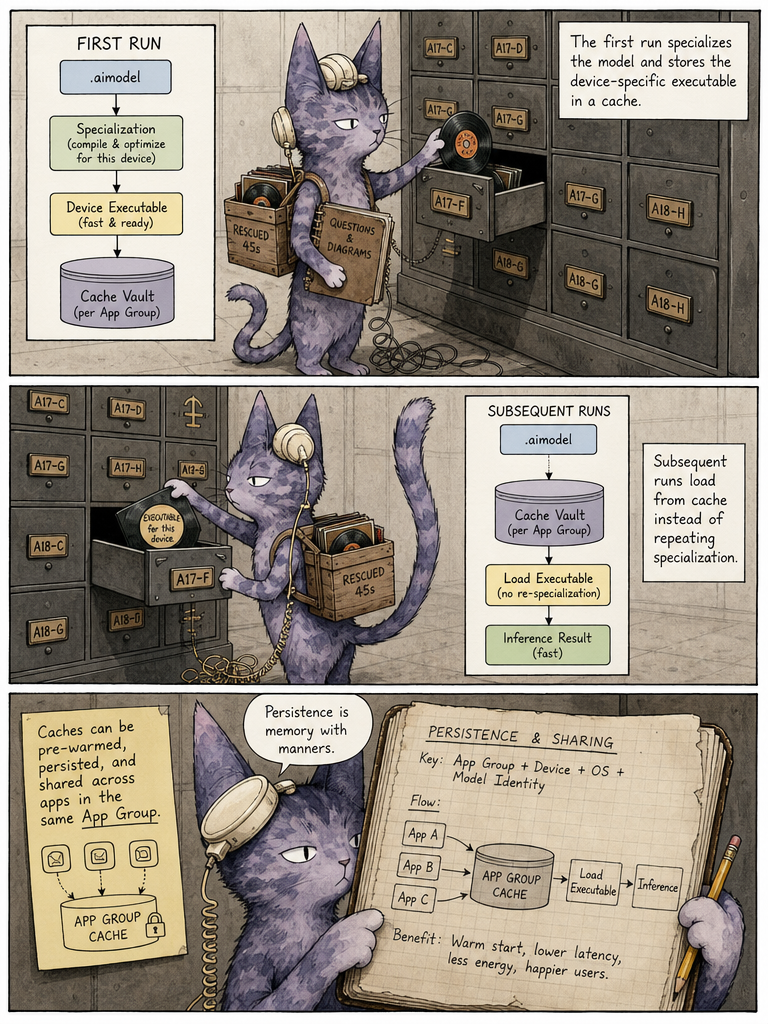
Because specializing a large model is expensive, Core AI provides an AIModelCache. The first run specializes and caches a device-specific executable; later runs just load from cache and infer. Caching is automatic by default, and developers can inspect caches, control persistence, pre-specialize downloaded models, and share specialized models across apps in the same App Group — crucial UX for multi-gigabyte generative models.

in short — first run: specialize then cache; later runs: load from cache, infer.

the comic take · 10the full page
This page describes how specialization is cached so subsequent launches skip recompilation.

This page describes how specialization is cached so subsequent launches skip recompilation.

↑ back to the passage
11 · 8. Ahead-of-time compilation · in summary
/p/11

Compile on the Mac so the phone barely works

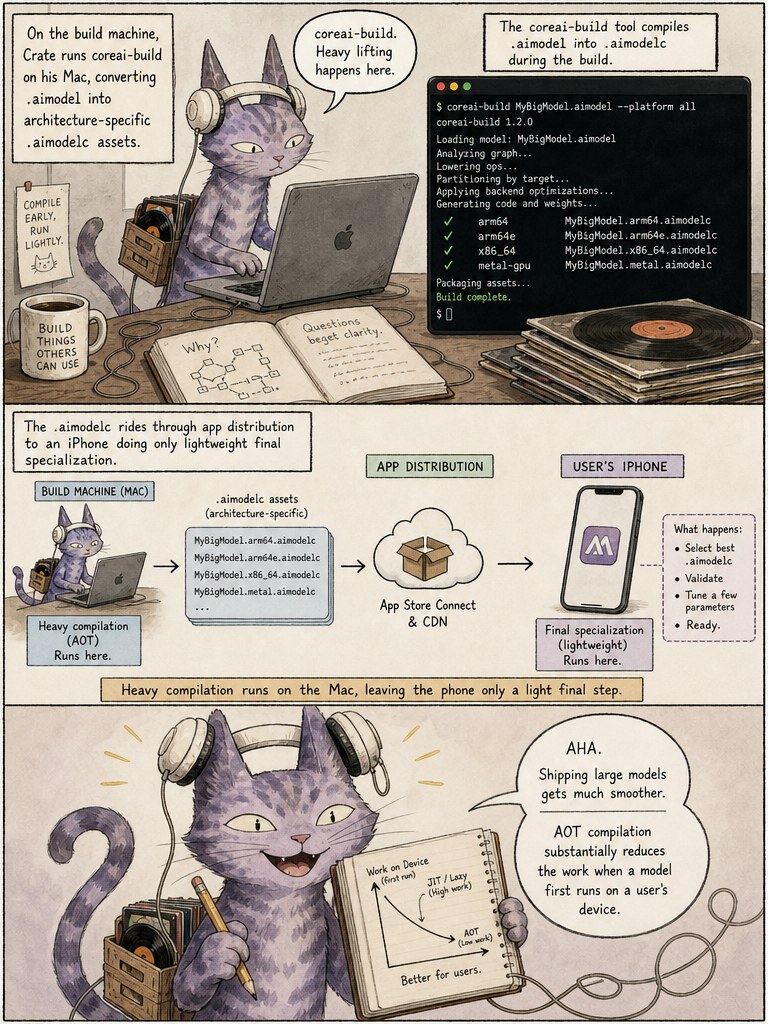
Beyond caching, Apple offers ahead-of-time compilation through the coreai-build tool, converting a .aimodel into architecture-specific .aimodelc assets at build time. This moves the most expensive specialization work onto the developer's Mac, leaving the user's device to perform only lightweight final specialization at first run — a significant deployment improvement for apps shipping large models.

in short — on the Mac: expensive compilation; on the phone: lightweight final step.

the comic take · 11the full page
This page explains ahead-of-time compilation moving expensive work to the Mac via coreai-build.

This page explains ahead-of-time compilation moving expensive work to the Mac via coreai-build.

↑ back to the passage
12 · 9. Models can contain multiple inference functions · in summary
/p/12

Weights live in functions, not in the model object

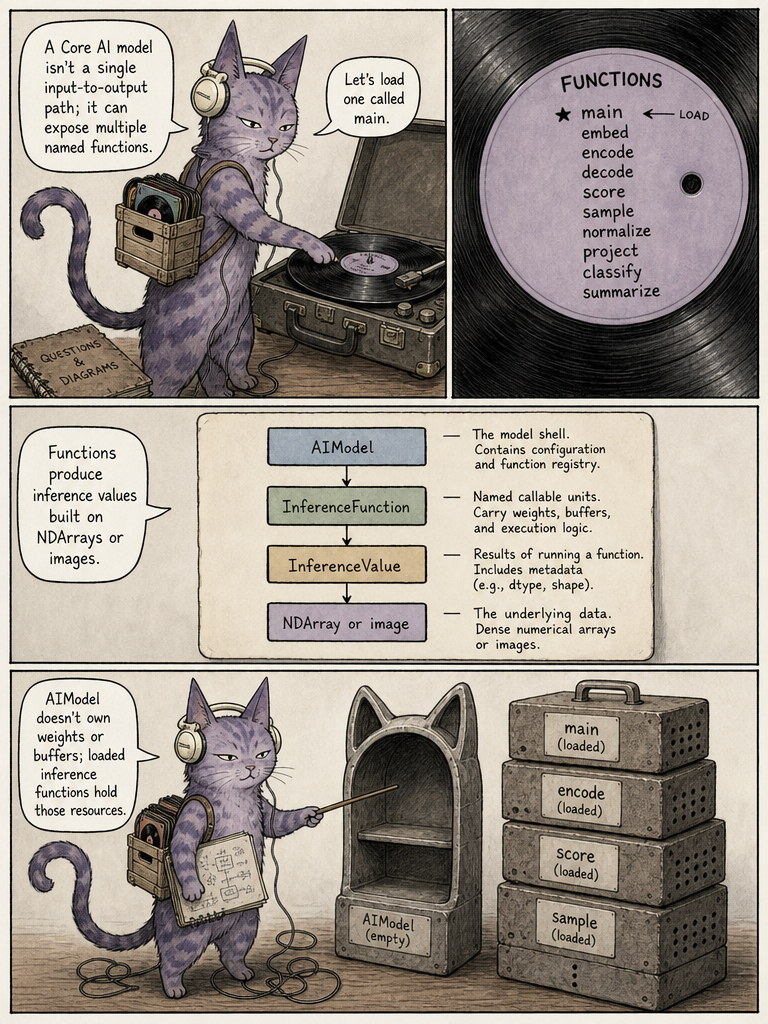
A Core AI model isn't limited to a single input-to-output path — it can expose multiple named inference functions. Developers inspect model.functionNames and load a specific one. Crucially, the AIModel object is deliberately lightweight and does not own the weights or intermediate buffers; those resources belong to the inference functions loaded from it. That separation matters for managing memory in very large networks.

in short — AIModel: lightweight, no weights; InferenceFunction: holds weights and buffers.

the comic take · 12the full page
This page describes multiple named inference functions and the lightweight, weight-free model object.

This page describes multiple named inference functions and the lightweight, weight-free model object.

↑ back to the passage
13 · 10. Memory management is a first-class feature · in summary
/p/13

Skip redundant copies to save latency and battery

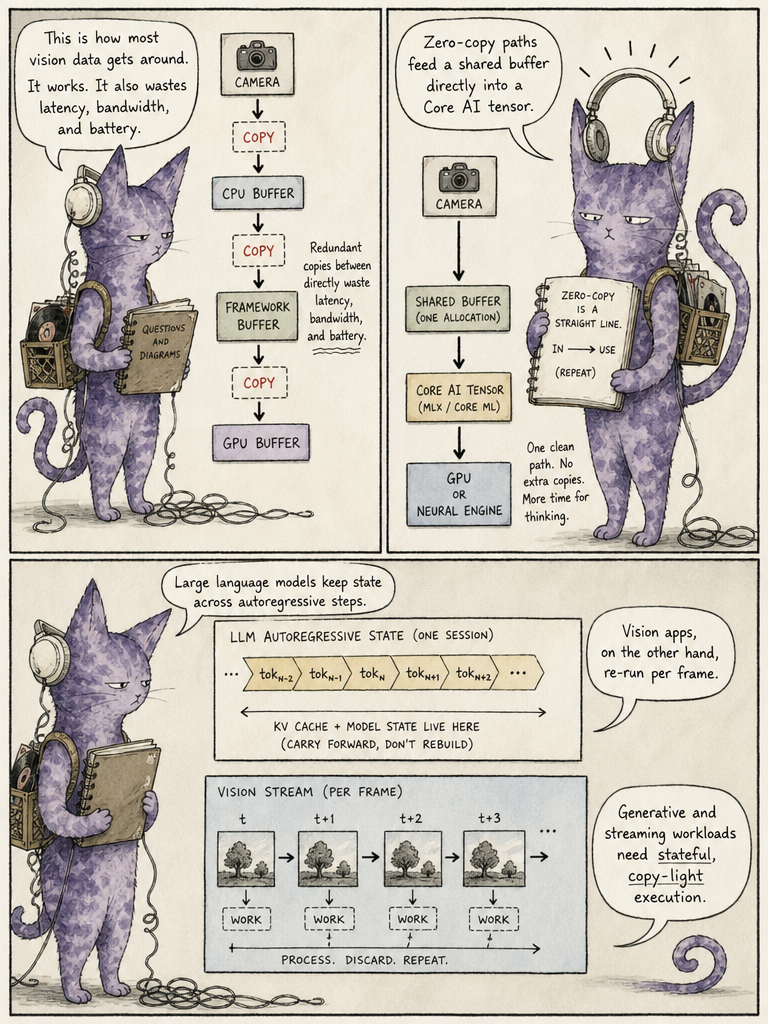
Core AI treats memory as a dominant constraint, offering fine-grained memory control, stateful execution, asynchronous compute and zero-copy data paths. Generative models hold large autoregressive state, and camera apps run vision models repeatedly over frames — chains of buffer copies from camera to CPU to framework to GPU become extremely expensive. A zero-copy architecture avoids those redundant transfers, improving not just latency but memory bandwidth and battery efficiency.

in short — copy chain: camera, CPU, framework, GPU; zero-copy: shared buffer straight to accelerator.

the comic take · 13the full page
This page explains zero-copy data paths as a first-class memory-management feature.

This page explains zero-copy data paths as a first-class memory-management feature.

↑ back to the passage
14 · 11. Core AI Optimization · in summary
/p/14

Compress per layer to balance quality, size, and speed

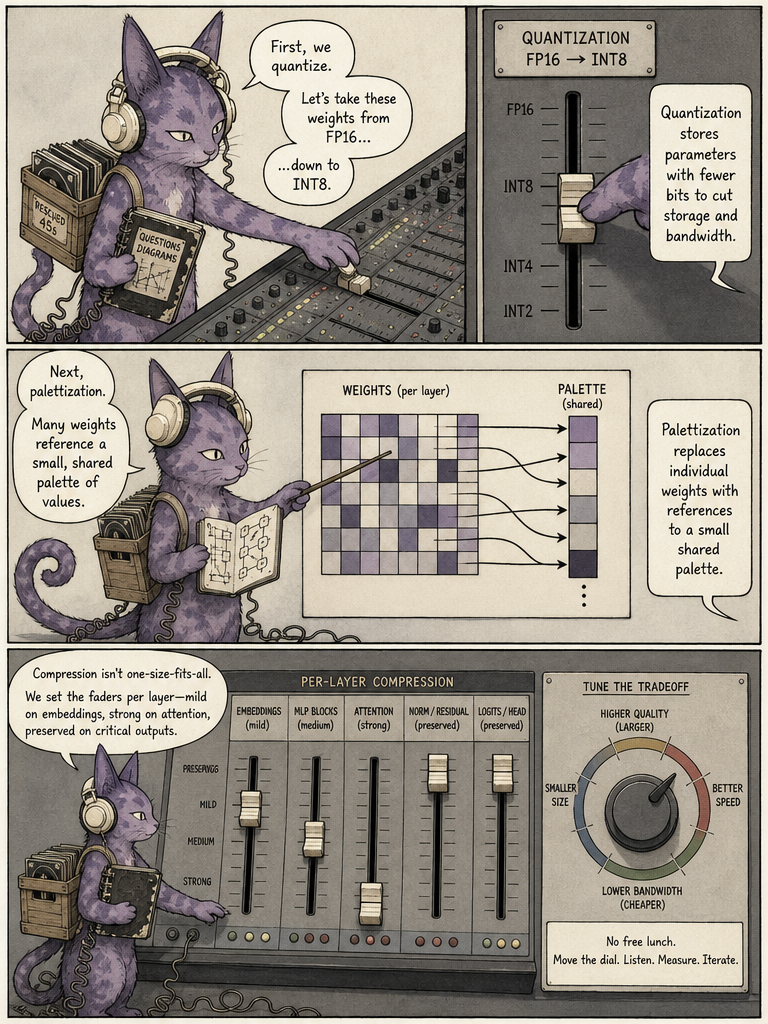
Core AI Optimization is a separate component for model compression. Quantization stores parameters in fewer bits (e.g. FP16 to INT8), while palettization has weights reference a smaller palette of shared values. Crucially, compression can be configured per layer — mild on embeddings, aggressive elsewhere, precise on critical outputs. The aim is to trade off quality, model size, speed and memory bandwidth, reducing size and boosting performance with minimal accuracy loss.

in short — quantization: fewer bits per weight; palettization: shared value palette; per-layer: tune the tradeoff.

the comic take · 14the full page
This page covers Core AI Optimization: quantization and palettization tunable per layer.

This page covers Core AI Optimization: quantization and palettization tunable per layer.

↑ back to the passage
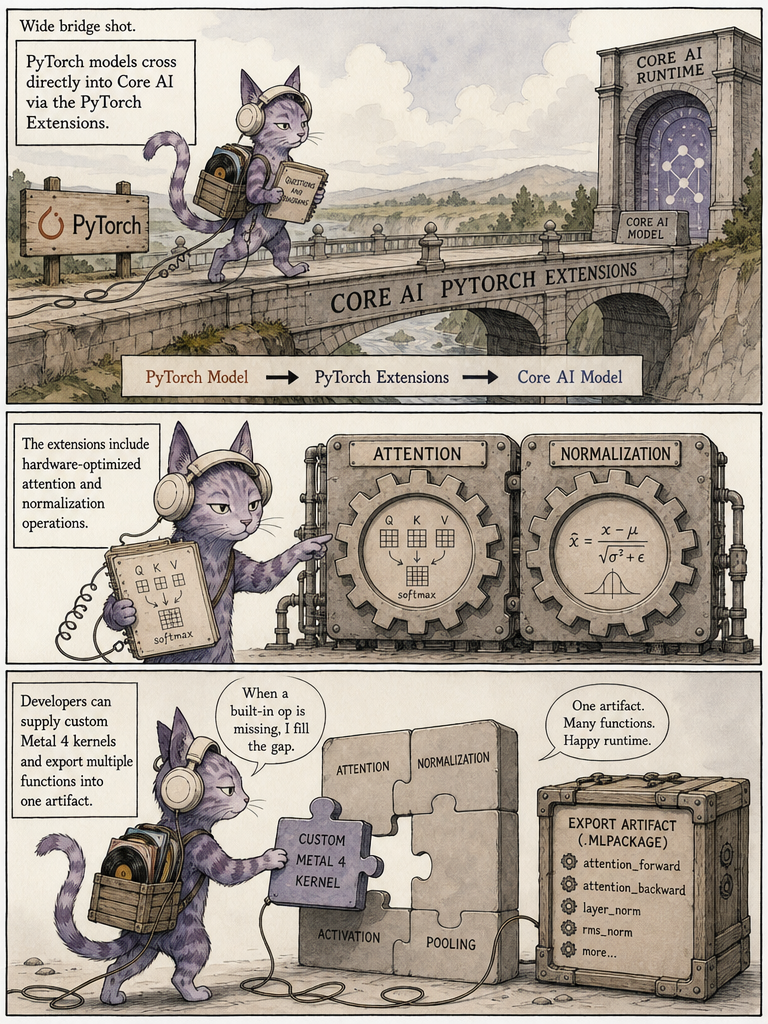
15 · 12. PyTorch becomes a much more direct part of Apple's deployment pipeline · in summary
/p/15

PyTorch models export straight into Core AI

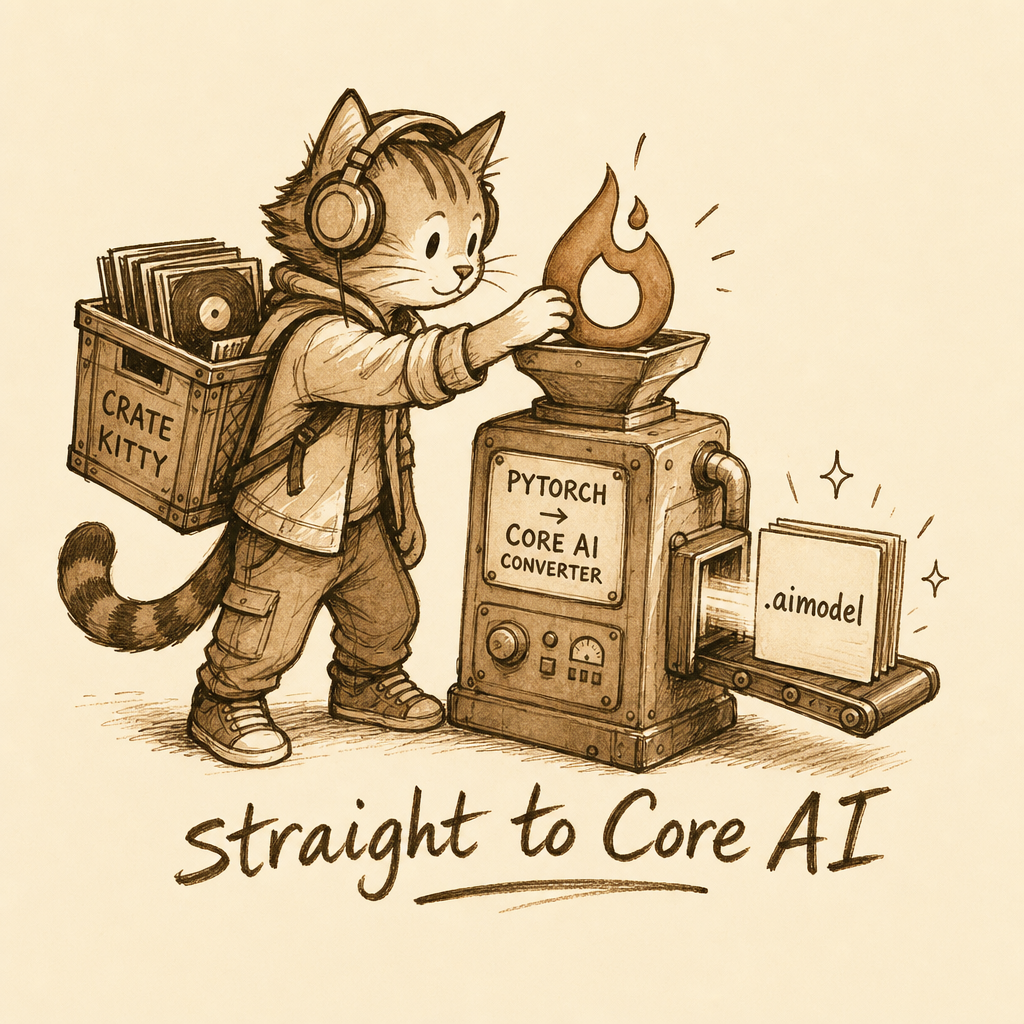
Apple makes the pipeline researcher-friendly: the workflow can begin in PyTorch, pass through Core AI PyTorch Extensions, and become a Core AI model. The extensions can export multiple inference functions into a single artifact and include hardware-optimized implementations of common ops like attention and normalization, plus support for custom Metal 4 kernels when built-ins fall short. For specialized models, Apple even discusses re-authoring parts around target-aware layouts.

in short — PyTorch: start here; Extensions: optimized ops + custom kernels; Core AI model: finished artifact.

the comic take · 15the full page
This page shows PyTorch models flowing directly into Core AI via extensions with optimized ops.

This page shows PyTorch models flowing directly into Core AI via extensions with optimized ops.

↑ back to the passage
16 · 13. Custom Metal kernels · in summary
/p/16

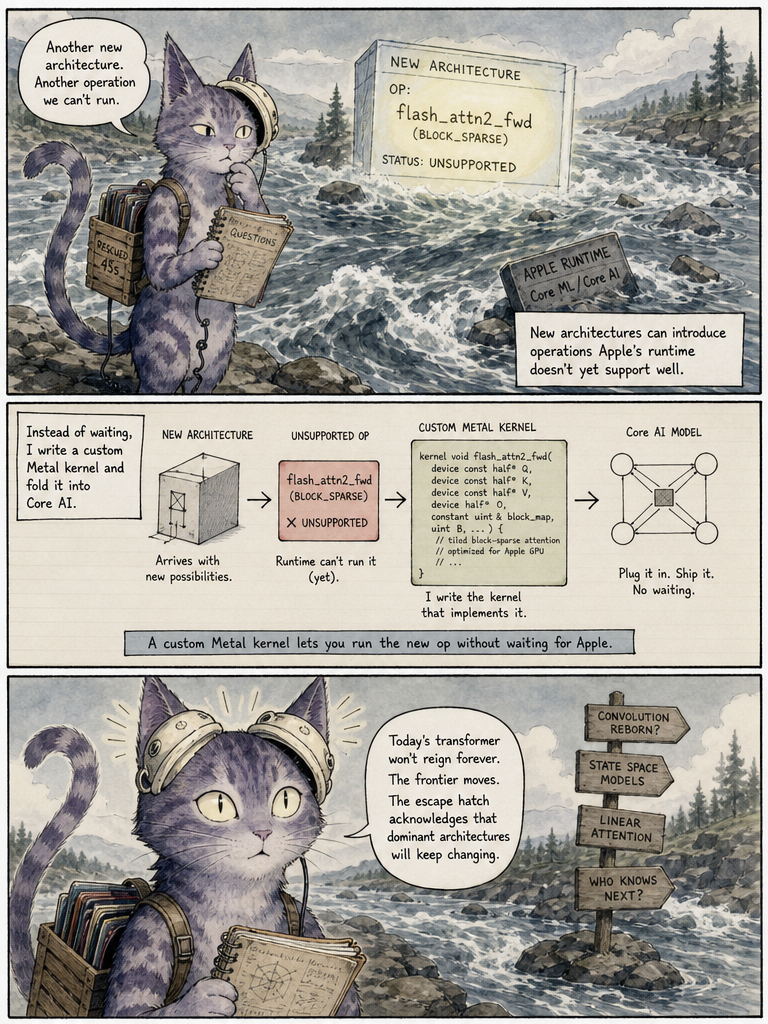
Custom kernels keep Core AI current with research

Because AI research moves faster than OS frameworks, a new architecture may need an operation Apple's runtime doesn't yet implement well. Rather than waiting for Apple, developers can supply their own Metal 4 kernels, plugging the missing op straight into their Core AI model. This escape hatch acknowledges that today's transformer won't dominate forever, keeping Core AI adaptable to fast-moving architectures.

in short — unsupported op: framework lags research; custom kernel: you fill the gap.

the comic take · 16the full page
This page explains custom Metal kernels as an escape hatch for new research architectures.

This page explains custom Metal kernels as an escape hatch for new research architectures.

↑ back to the passage
17 · 14. Core AI Debugger is unusually sophisticated · in summary
/p/17

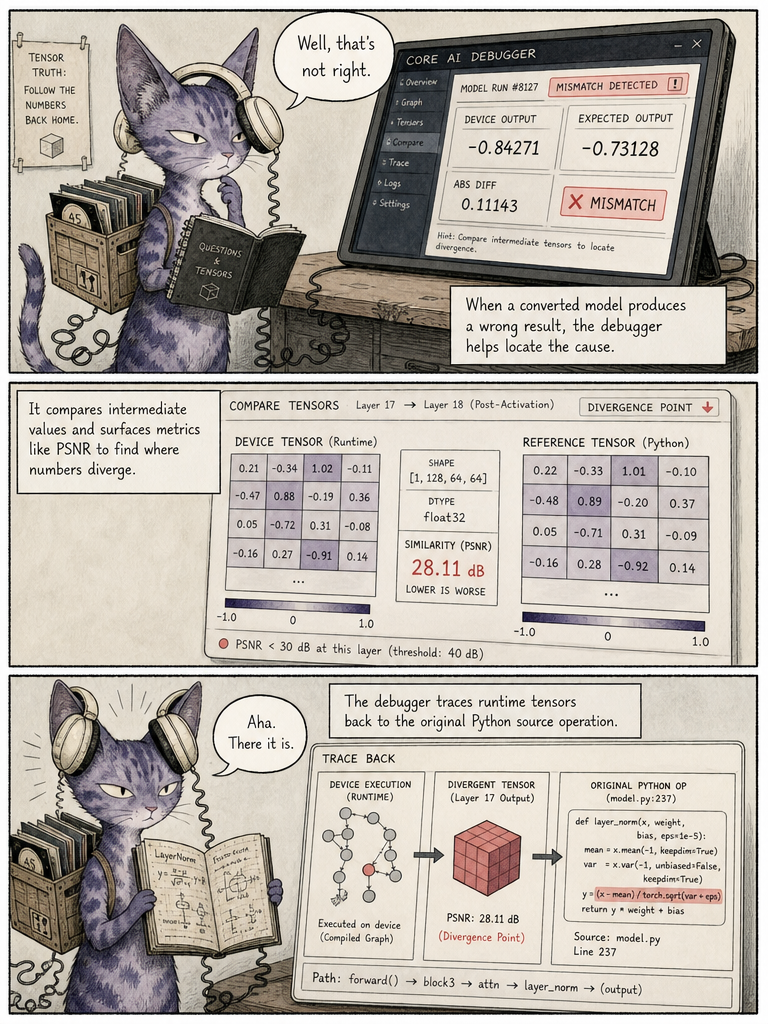
Trace wrong tensors back to the Python line

The dedicated Core AI Debugger does far more than draw the model graph: it inspects tensors, compares intermediate values, identifies sync points, computes similarity metrics like PSNR, and — most interestingly — traces runtime tensors back to the original Python source. This tackles one of the nastiest conversion problems: finding exactly where numerical divergence entered a converted model, by comparing reference values against Core AI results.

in short — wrong result: on device; debugger: compares intermediate tensors; Python op: source of divergence found.

the comic take · 17the full page
This page describes the Core AI Debugger tracing numerical divergence back to Python source.

This page describes the Core AI Debugger tracing numerical divergence back to Python source.

↑ back to the passage
18 · 15. Xcode and Instruments understand AI inference · in summary
/p/18

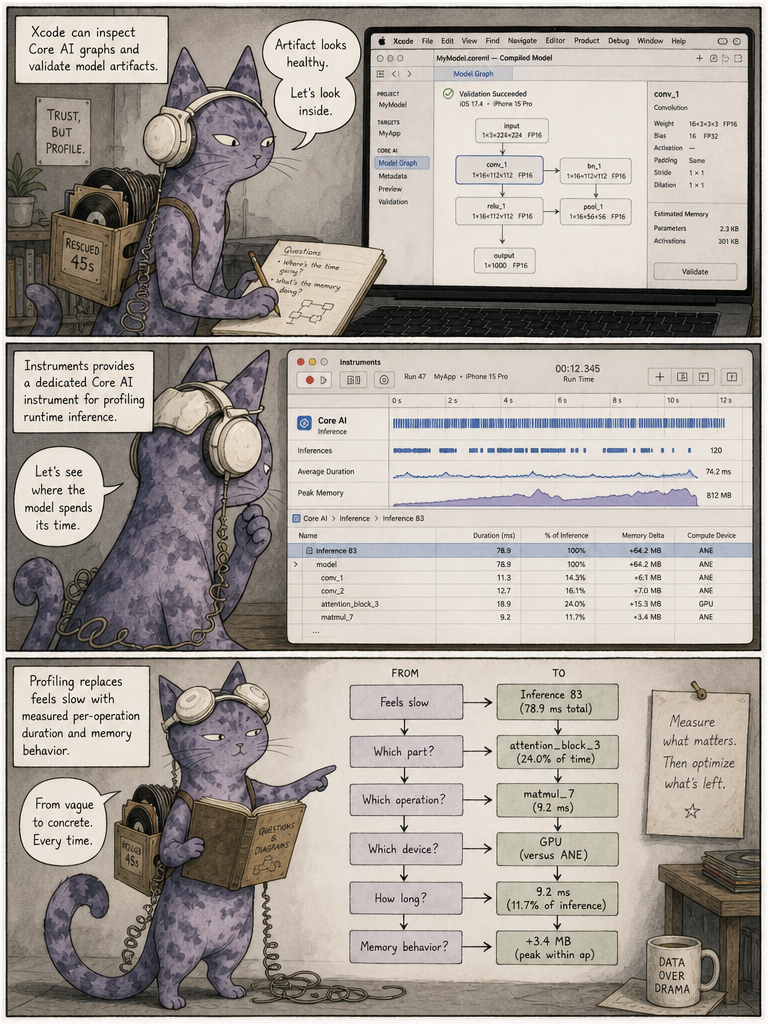
Profile inference per op, not by gut feel

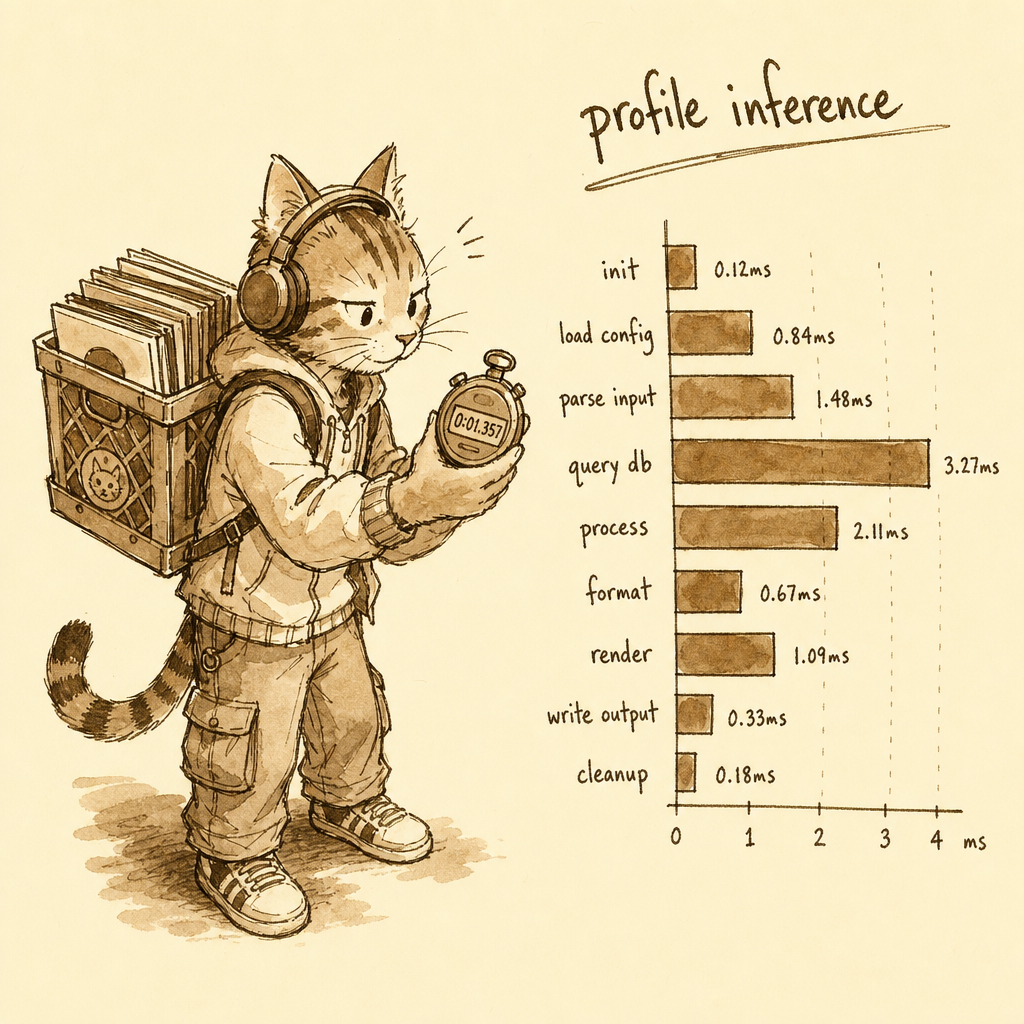
Core AI is deeply wired into Apple's developer tools: Xcode inspects Core AI graphs and validates artifacts, and Instruments has a dedicated Core AI instrument for profiling runtime inference. So instead of vaguely noting "the model feels slow," developers can drill down through model, function, operation, compute device, execution duration and memory behavior — treating inference like any CPU or graphics workload, which matters because architecture alone doesn't determine real performance.

in short — feels slow: vague guess; profiled: per-op, per-device timing.

the comic take · 18the full page
This page shows Xcode and Instruments profiling Core AI inference like CPU or GPU work.

This page shows Xcode and Instruments profiling Core AI inference like CPU or GPU work.

↑ back to the passage
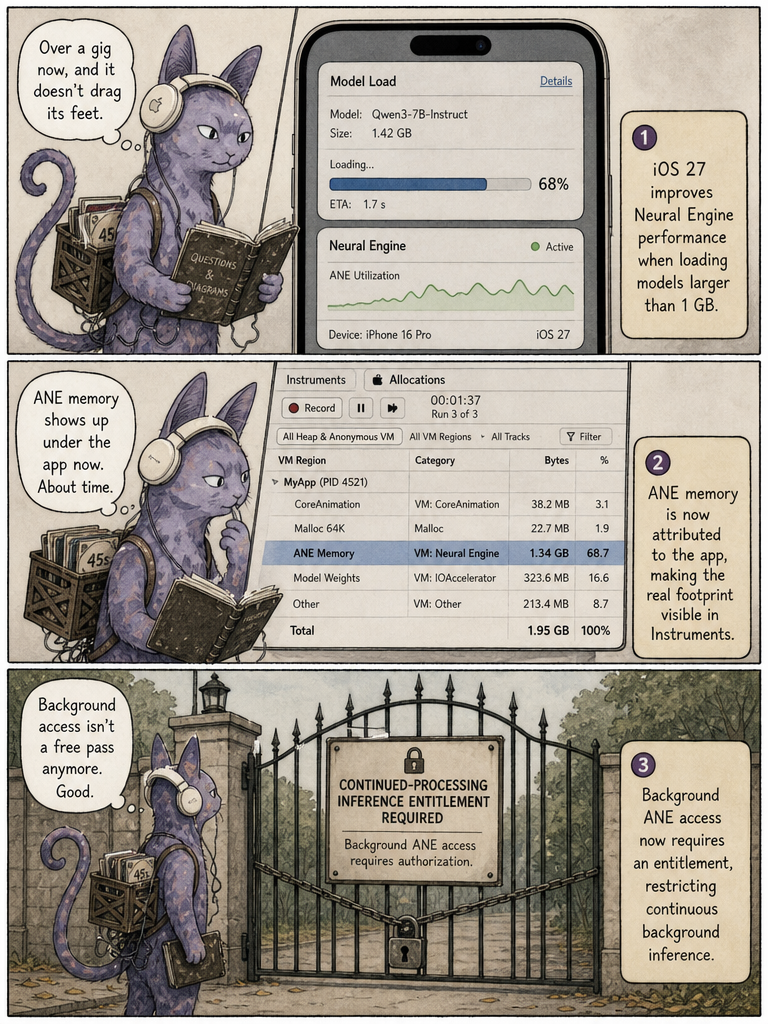
19 · 16. iOS 27 changes Neural Engine behavior · in summary
/p/19

OS makes ANE memory visible and gates background use

Underneath Core AI, iOS 27 changes Neural Engine behavior. Loading models larger than 1 GB is faster on Apple Intelligence-capable devices. ANE memory is now attributed to the app process rather than to system memory, so it shows up in Instruments' Allocations — good for debugging but a reminder to watch large-model footprint. Separately, background ANE inference now requires a specific entitlement, gating power-hungry continuous background generation.

in short — ANE memory: now charged to your app; background inference: needs an entitlement.

the comic take · 19the full page
This page covers iOS 27's OS-level ANE changes: faster large loads, memory reattribution, and background gating.

This page covers iOS 27's OS-level ANE changes: faster large loads, memory reattribution, and background gating.

↑ back to the passage
20 · 18. Core AI scales from small models to very large models · in summary
/p/20

One runtime from tiny phone models to 70B on Mac

Apple's examples reveal the range: from a small speaker-diarization model up to a 70-billion-parameter LLM where sufficient Apple silicon is available. Not every iPhone runs 70B comfortably — the idea is a spectrum, with compact models on iPhone, larger ones on iPad, multi-billion-parameter models on MacBook and Mac Studio, and potentially very large LLMs on high-memory Macs. Core AI gives all these hardware classes a common runtime abstraction.

in short — iPhone: compact models; iPad / Mac: larger local models; high-memory Mac: 70B-parameter LLMs.

the comic take · 20the full page
This page shows Core AI scaling one runtime from compact phone models to 70B-parameter Macs.

This page shows Core AI scaling one runtime from compact phone models to 70B-parameter Macs.

↑ back to the passage
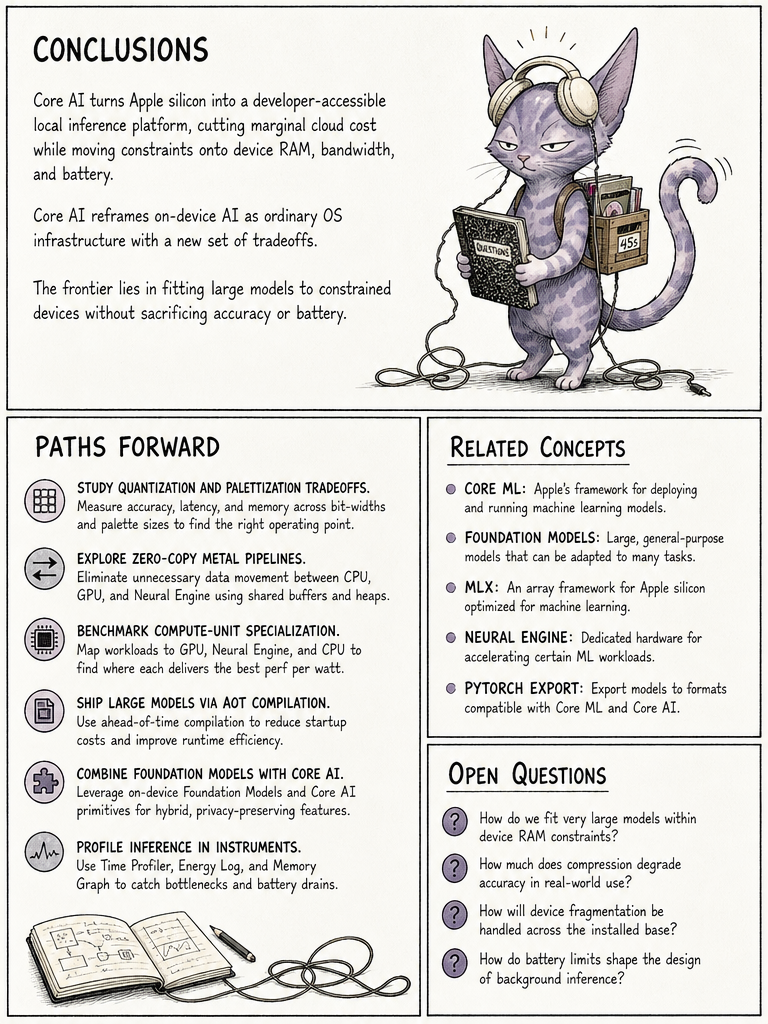
21 · Paths forward · in summary
/p/21

Local inference becomes a normal OS capability

The big shift is that Apple treats on-device AI inference as a normal OS capability, moving features from cloud GPUs and per-token billing toward local hardware accelerators — improving economics, privacy, offline operation, latency and model choice. But it doesn't remove constraints, it relocates them: from GPU cost, token cost and rate limits toward RAM, bandwidth, storage, thermals, battery, specialization time and device fragmentation.

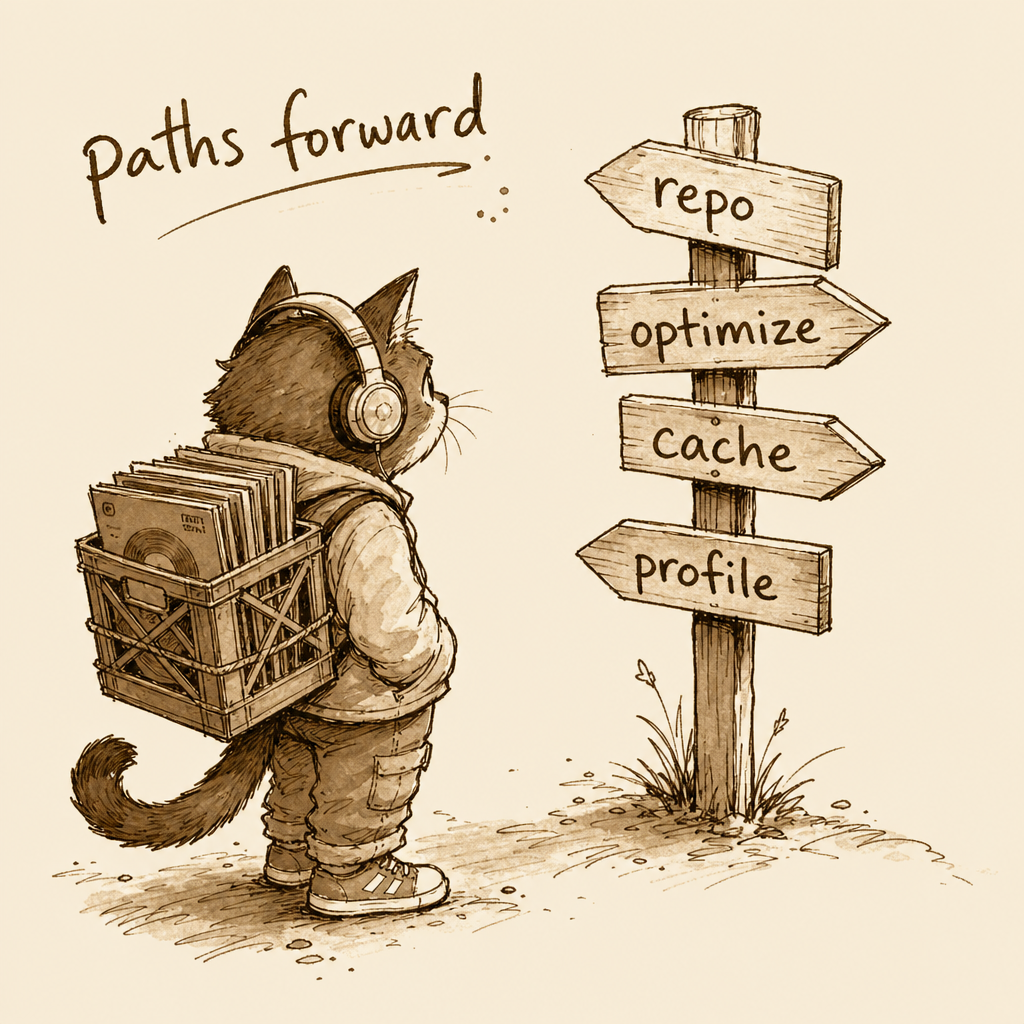
Where to go next: explore the Core AI Models repository and its recipes, try the PyTorch export path and Core AI Optimization, lean on caching and AOT compilation for large models, and profile with Instruments and the Debugger. Remember the APIs are beta as of August 2026 and may change before release.

in short — cloud constraints: tokens, GPU cost, rate limits; device constraints: RAM, battery, storage, thermals.

the comic take · 21the full page
This closing page synthesizes Core AI's strategic significance and where developers can go next.

This closing page synthesizes Core AI's strategic significance and where developers can go next.

↑ back to the passage

source materials

everything this reading draws on — add your own below